Digital Infrastructure
What Should a Rental Company Automate First? 10 Workflows That Save Time and Prevent Lost Leads
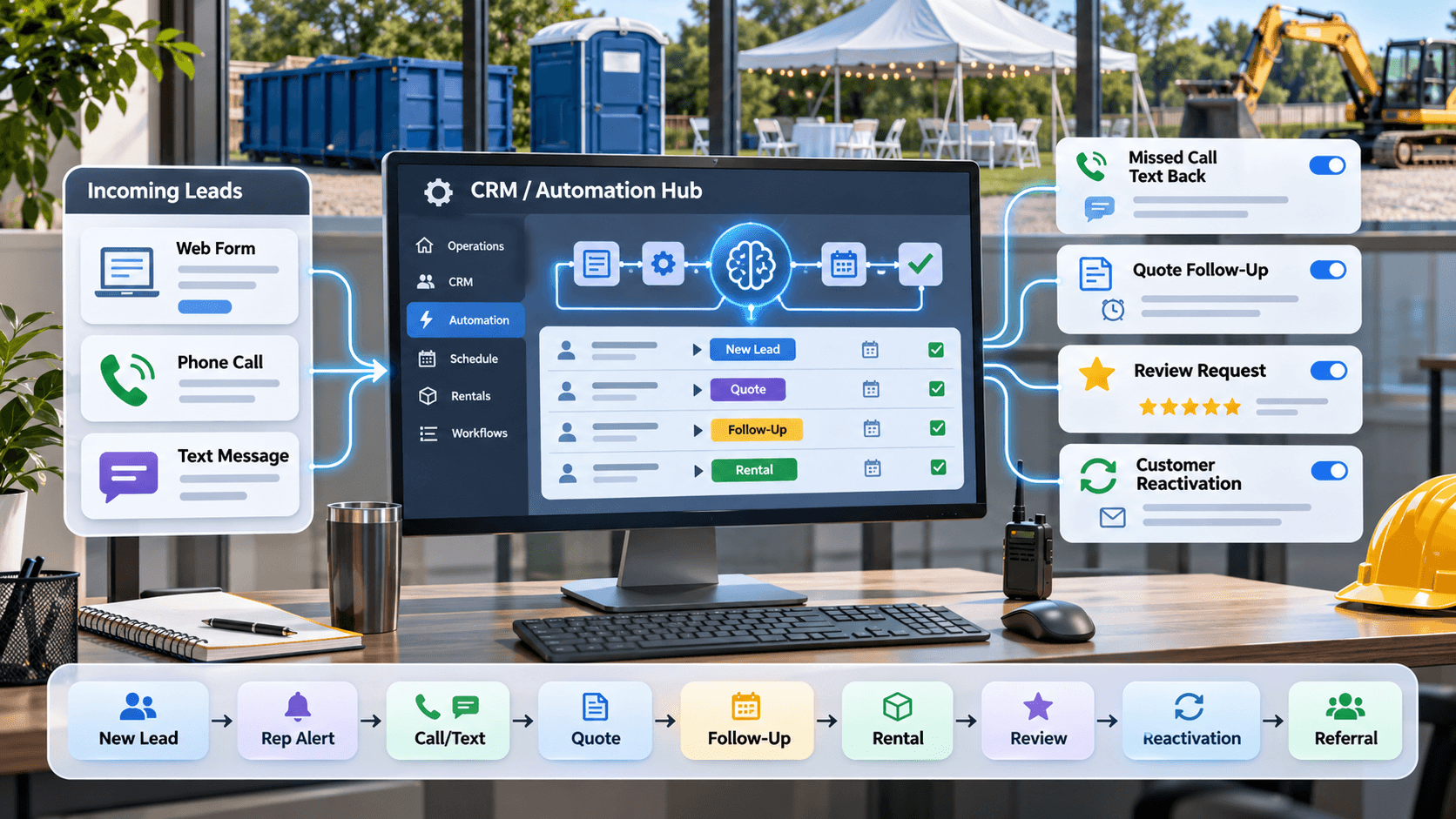
A rental company should automate first the repetitive workflows tied directly to lead response, follow-up, reviews, repeat business, and internal accountability — not everything at once. The usual starting order is new lead acknowledgment, speed-to-lead notification, missed-call follow-up, lead assignment, quote follow-up, review requests, and customer reactivation.
Automation works best when it supports a human, not when it replaces judgment. The goal isn't to remove people from the process — it's to make sure nothing predictable falls through the cracks while people handle the parts that actually need a person.
What Makes a Rental Workflow Worth Automating?
A workflow is a strong automation candidate when most of the following are true:
- It happens frequently
- The trigger is clear — a form submission, a missed call, a completed rental
- The next action is predictable
- Timing matters
- Forgetting it has real consequences
- It doesn't require complex judgment
If the workflow depends on someone remembering to check a spreadsheet every afternoon, it is probably a candidate for automation. If it depends on reading the situation and deciding what's fair, it probably isn't.
What Should a Rental Company Automate First?
The following 10 workflows are ordered roughly by practical impact for many rental companies — dumpster, portable toilet, restroom trailer, event, and equipment rental alike. This isn't a universal ranking; a company's specific lead volume, team size, and current gaps should shape the exact order.
The first few items on this list all share something in common: they protect revenue that's already in motion — a lead that already called, a quote that already went out — rather than trying to generate new demand. That's usually where automation pays off fastest, before a company starts layering on anything more elaborate.
Generating that demand in the first place is a separate question — see our guide on the best marketing channels for rental companies for how acquisition and automation fit together rather than competing for attention.
1. New Lead Acknowledgment
Whenever a form submission, quote request, web lead, or directory lead comes in, an immediate confirmation text or email sets expectations and tells the customer someone will follow up — before they've had time to call a competitor instead.
An automated acknowledgment isn't a response. It buys time for a real one; it doesn't replace it.
2. Speed-to-Lead Call and Text
Speed matters because a rental customer comparing options is usually comparing a small handful of companies at the same time, and the first one to actually connect tends to have an advantage. A typical workflow:
- Lead submitted
- CRM record created
- Rep notified
- Rep's phone rings
- Optional "press 1 to connect" routing
- Automated text sent if no one picks up
This is different from simply sending an autoresponder and calling it a day — see our guide on rental company speed-to-lead for why the actual connection matters more than the acknowledgment.
3. Missed-Call Text Back
A missed call shouldn't just become a forgotten lead. A workflow worth having:
- Incoming call is missed
- Immediate text acknowledgment goes out
- Text captures name, rental need, and location
- Team is notified
- A person continues the follow-up from there
This is especially useful for mobile operators who may be driving, loading equipment, on a job site, or handling a delivery when the phone rings — the text goes out automatically so the lead isn't lost to timing alone.
4. Lead Assignment and Internal Notifications
Leads can be assigned based on sales rep, territory, service area, equipment or category, and availability where that's relevant. Automation can set the owner, create a task, send a notification, and update the pipeline stage the moment a lead comes in.
Overly complicated routing logic before the business actually needs it tends to create more confusion than it solves — a simple rule set is usually enough until there's a real reason to add more.
A single-location dumpster rental company with two reps doesn't need a scoring model to decide who gets the next lead. A regional equipment rental company covering five service areas with different reps for each probably does. The complexity should match the business, not the other way around.
5. Quote Follow-Up
One of the biggest practical gaps in rental sales: quotes get sent, and then nobody follows up consistently. A workable sequence:
- Quote sent
- Follow-up reminder scheduled
- Text or email check-in goes out
- Rep gets a task if there's still no response
- Automation stops the moment the customer responds or books
That last step matters — the automation should stop or adapt the moment a real conversation starts, not keep running in parallel with it.
6. Appointment and Delivery Reminders
Site visits, consultations, deliveries, pickups, restroom trailer walkthroughs, event setup, and equipment reservations all benefit from a confirmation, a day-before reminder, and a same-day reminder where appropriate.
These reminders need to stay accurate to real operational commitments — an automated message that conflicts with an actual dispatch change creates more confusion for the customer than no reminder at all.
If a delivery window changes the day before, the reminder system needs to reflect that change too, not just repeat whatever was entered when the order was first booked.
7. Review Requests
A simple sequence works well: completed rental, a short delay, a review request, and a reminder if appropriate. See our guide on how to get more Google reviews for the full system.
- Request reviews from real customers only
- Never use fake reviews
- Never gate review requests to filter out negative ones
- Stop the sequence if a customer indicates a problem
An unhappy customer should get a real person reaching out, not a cheerful automated request for five stars landing in their inbox the next day.
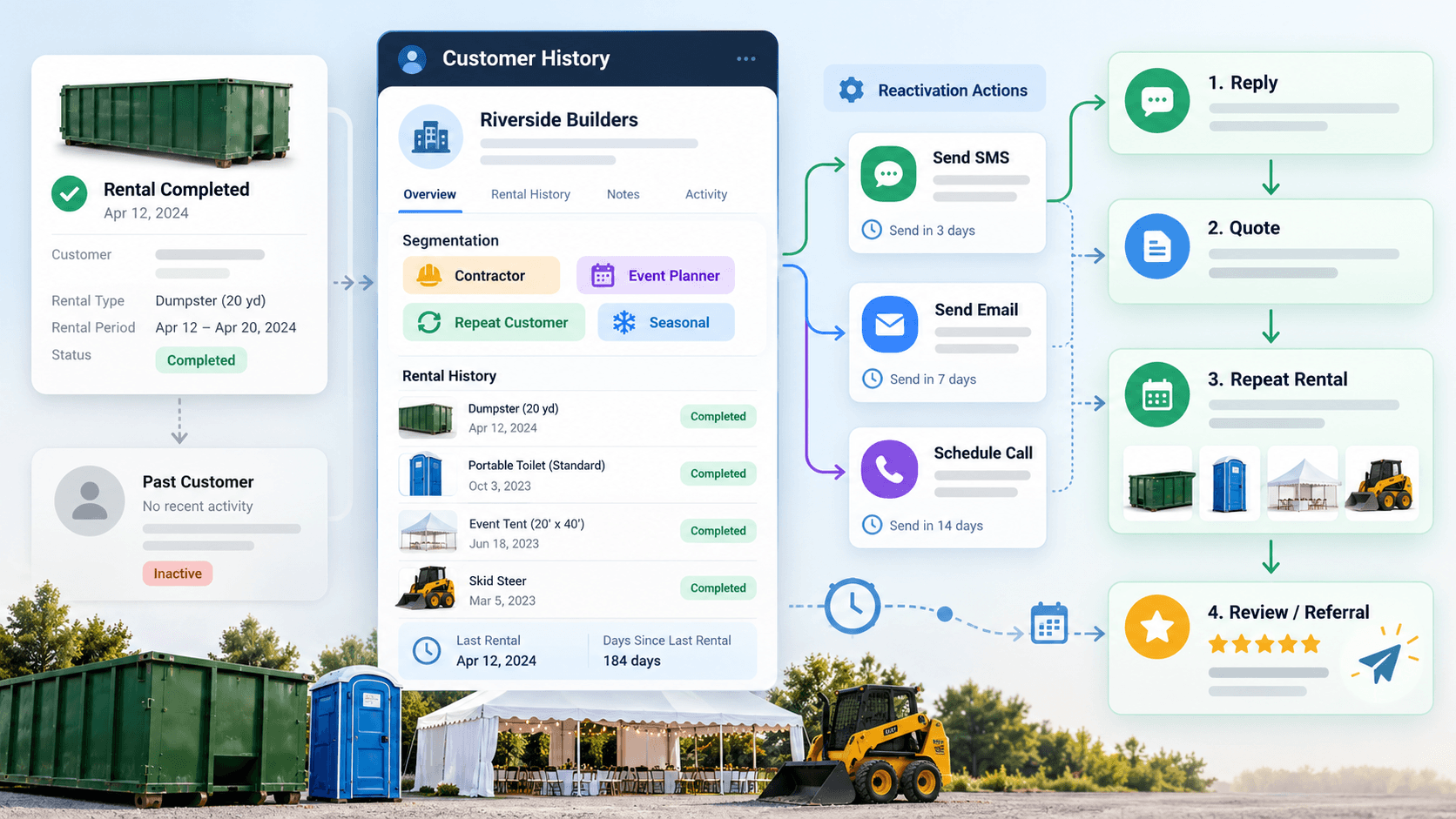
8. Customer Reactivation
A past customer becomes eligible for reactivation based on elapsed time, rental category, season, project cycle, or a known repeat need — a contractor who rented a dumpster before, an event planner who rented tables and chairs, a builder who rented equipment, or a recurring portable toilet customer.
See our guide on customer reactivation for rental companies for how to build this without it turning into spammy mass blasting. Reactivation is only as good as the customer data behind it — see our guide on tracking customer history for what that data actually needs to include.
9. Referral Follow-Up
After a successful rental, a good review, or a completed project, automation can remind staff or trigger a lightweight referral ask. The ask works best when it's low-pressure — referrals tend to come from trust that already exists, not from being asked harder.
A contractor who's rented from the same dumpster company three times is a better referral candidate than someone on their first rental, and the automation should reflect that difference rather than treating every completed job the same way.
10. Internal Task and Pipeline Automation
This is where CRM automation becomes operational infrastructure rather than just messaging automation. Useful triggers include:
- A new quote needs follow-up
- A lead has gone idle too long
- An appointment was completed
- A rental was completed
- A customer is eligible for a review request
- A customer is ready for reactivation
- A lead moved to lost
- A salesperson's task is overdue
What Should a Rental Company NOT Automate?
Humans should generally stay closely involved in:
- Unusual pricing decisions
- Large commercial opportunities
- Angry or upset customers
- Refunds and disputes
- Complex scheduling
- Safety-related questions
- Unusual site conditions
- Equipment suitability questions requiring real expertise
- Custom event needs
- Exceptions to policy
- Sensitive customer situations
Automation is strongest when the decision is predictable. Humans are strongest when the situation is not. The best automation usually removes a boring step, not a human relationship.
A commercial account asking about a multi-month rental at volume pricing and a first-time homeowner asking when their weekend dumpster will show up are not the same conversation, even if both technically arrived as "a lead." Automation can route both quickly; only one of them probably needs a human on the phone within the hour.
Should Rental Companies Use AI for Customer Conversations?
Yes, for the parts of a conversation that are predictable — and no, not for all of it.
AI can help with
- Answering common questions
- Initial intake
- Routing
- Appointment requests
- Basic qualification
- After-hours coverage
- Collecting rental details
AI should escalate to a human when
- The customer is upset
- Pricing requires judgment
- Availability is uncertain
- Safety questions come up
- Logistics get complex
- The customer asks for a human
AI handling calls well is not the same as AI handling every call — see our guide on AI receptionists for rental companies for where that line typically falls.
CRM Automation vs AI Automation: What Is the Difference?
CRM automation is rule-based: workflows triggered by known events, like a form being submitted, a pipeline stage changing, a rental being completed, or no response after a set interval.
AI automation handles more flexible language or reasoning-based interactions: understanding what a customer actually needs, answering open-ended questions, summarizing a call, or categorizing a conversation.
The strongest systems usually use both — rule-based automation for the predictable operational steps, and AI for the parts of a conversation that require understanding something that wasn't filled out on a form.
A practical split: CRM automation notices that a quote has gone unanswered for three days and creates a follow-up task. AI handles the after-hours call where a customer describes a cleanup job in their own words and the system has to figure out which equipment that actually calls for.
What Is the Best First Automation for a Small Rental Company?
A minimal, high-value starting set:
- New lead acknowledgment
- Speed-to-lead notification
- Missed-call text back
- Quote follow-up
- Review request
This minimal set creates immediate operational value — faster response, fewer dropped leads, more consistent follow-up — without the complexity or maintenance burden of a fully built-out system the business doesn't need yet.
What Should a Growing Rental Company Automate Next?
Once the first-priority workflows are running and the team has gotten used to them, a growing company typically layers on:
- Lead routing
- Appointment reminders
- Reactivation campaigns
- Referral workflows
- Stage-based task automation
- Reporting and internal notifications
Each of these assumes the basics are already working reliably — adding reactivation campaigns on top of inconsistent lead follow-up just means two things are now running inconsistently instead of one.
What Should a Mature Rental Company Automate?
- Customer segmentation
- Multi-rep routing
- Multi-location routing
- Customer lifecycle triggers
- More advanced reactivation sequencing
- Attribution handoffs between marketing and sales
- Internal quality-control alerts
Even a mature rental company shouldn't automate everything — the same judgment calls that needed a human at a smaller size still need one at a larger size.
How Do You Know If an Automation Is Working?
Useful measures include:
- Response time
- Tasks completed
- Follow-up consistency
- Leads actually contacted
- Quotes followed up on
- Booked rentals
- Review requests sent
- Reviews generated
- Reactivated customers
- Repeat rentals
- Referrals
- Manual work eliminated
"Number of workflows running" isn't one of them — that's a vanity metric that says nothing about whether the automation is actually producing better outcomes.
A missed-call text-back workflow that's technically live but hasn't actually reconnected anyone with a rep in a month isn't working, regardless of how it looks on a dashboard. The measure that matters is what happened after the automation fired, not whether it fired.
Common Rental Automation Mistakes
Automating a broken process just helps it break faster. Other common mistakes:
- Building too much automation too early
- Sending too many messages
- Failing to stop automation when a customer replies
- Routing leads incorrectly
- Using stale or outdated customer data
- Automating without tracking whether it's working
- Stacking disconnected tools instead of one connected system
- Creating workflows nobody on the team actually understands
- No human escalation path when something goes wrong
A Simple Rental Business Automation System
Put together, the workflows above form one connected path rather than a pile of separate automations:
- Lead comes in
- CRM record created
- Acknowledgment sent
- Rep notified or called
- Human conversation happens
- Quote sent
- Follow-up
- Rental
- Review request
- Reactivation
- Repeat rental or referral
Where Should Automation Live?
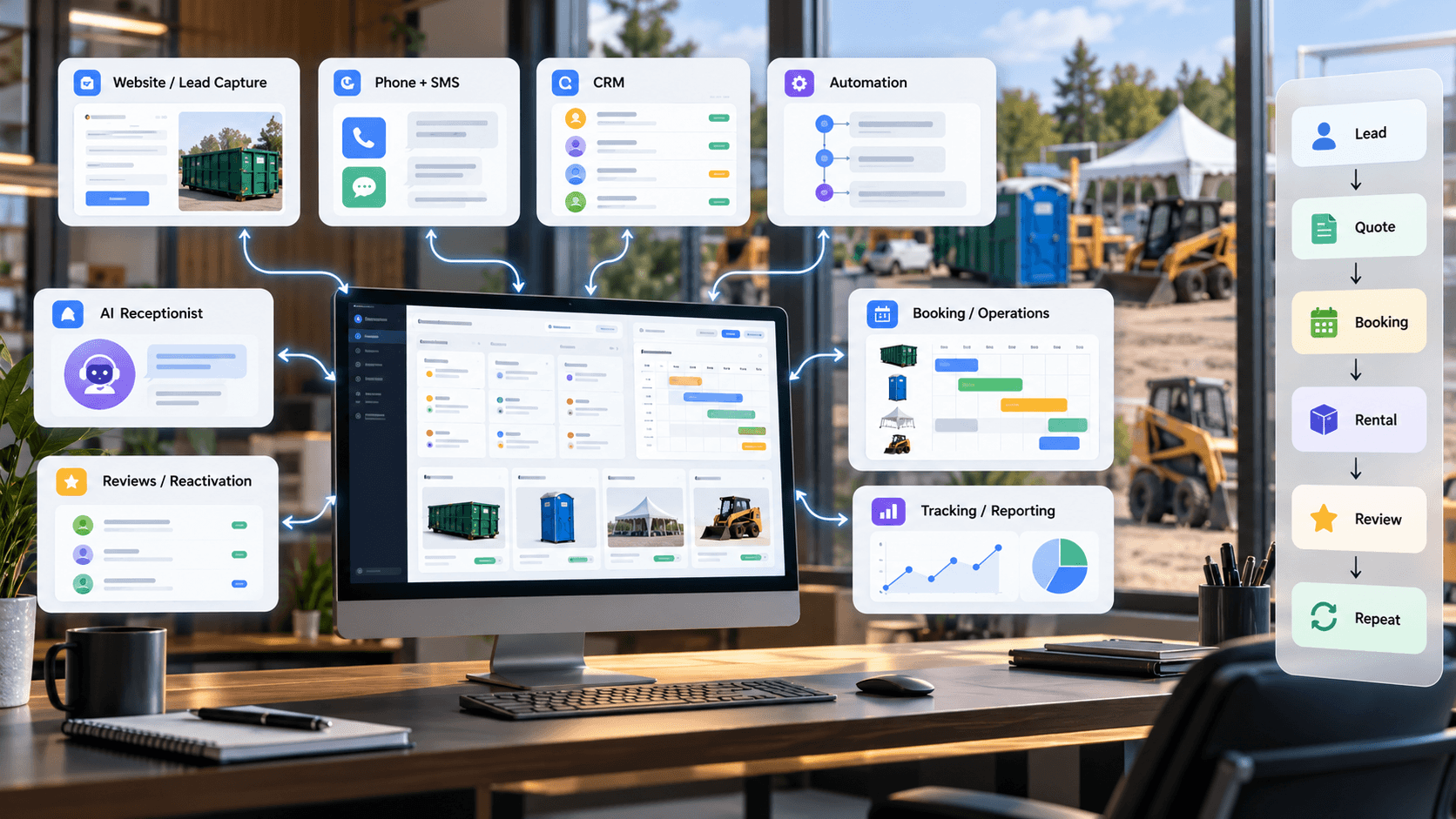
Automation typically lives across a CRM, a phone and SMS platform, an email platform, booking or scheduling software, other operational software, and an AI receptionist where that's a fit.
Five disconnected tools that don't talk to each other isn't an automation system — it's five separate systems with the same login screen. A smaller, connected setup beats unnecessary tool sprawl almost every time; see our guide on the rental business tech stack for what that actually looks like.
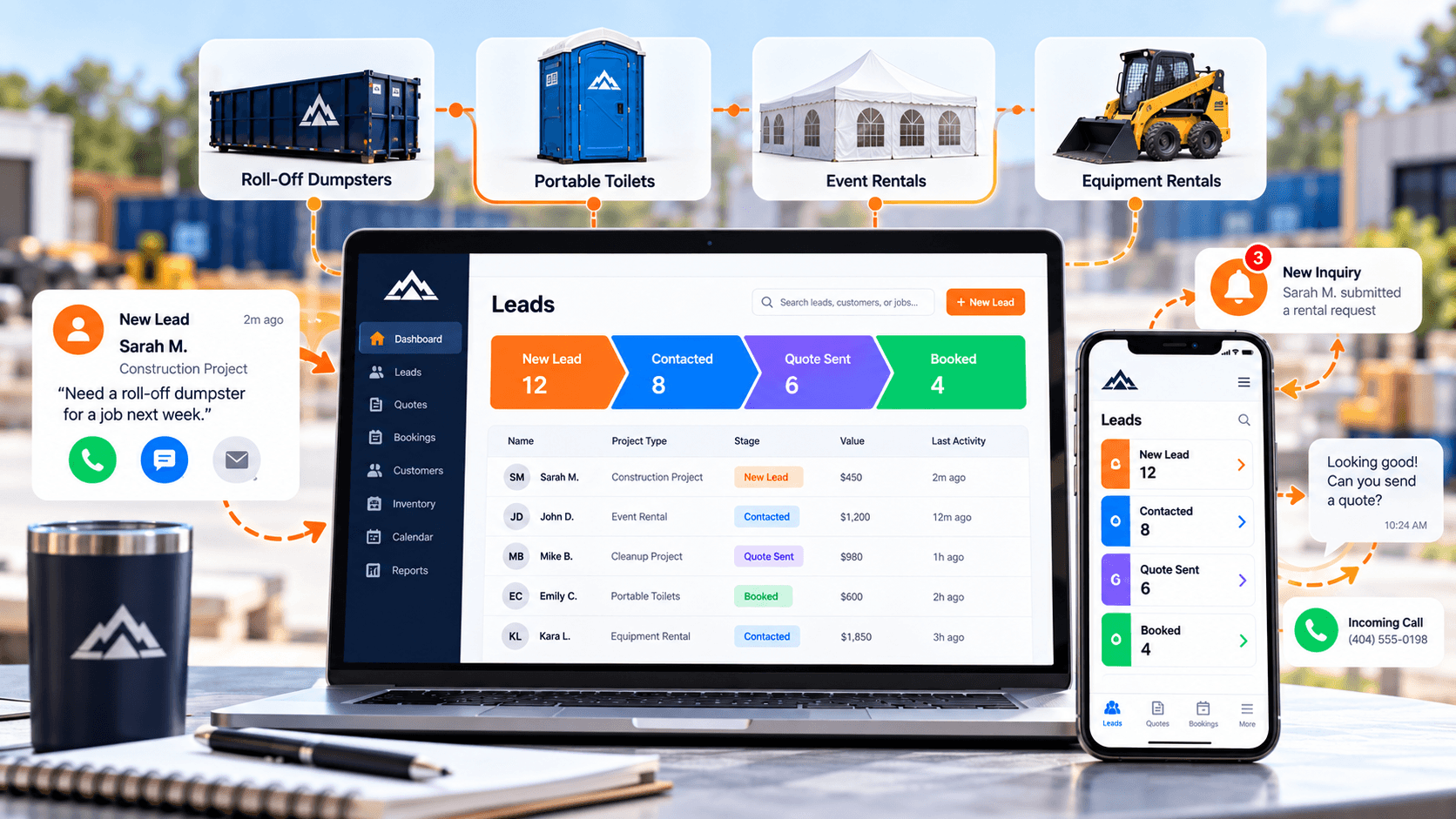
A CRM is usually the right place to decide what a rental company should use for day-to-day sales and follow-up before layering automation on top of it — see our guide on what CRM a rental company should use if that choice hasn't been made yet.
What Should a Rental Company Automate First? Priority Checklist
First
- Acknowledge leads
- Notify reps
- Follow up missed calls
- Follow up quotes
Next
- Appointment reminders
- Review requests
- Customer reactivation
Later
- Referral workflows
- Advanced lead routing
- Full customer lifecycle automation
The Bottom Line
Rental companies should automate the repetitive, predictable workflows where timing and consistency matter, and keep humans involved in judgment, relationship-building, pricing exceptions, complex logistics, and sensitive customer situations.
This is the same thinking behind Rental Growth Systems' Digital Infrastructure Systems, Customer Acquisition Systems, and Customer Value Systems — operations, demand, and customer value all working from the same underlying system instead of three disconnected efforts.
Frequently Asked Questions
What should a rental company automate first?
Start with new lead acknowledgment, speed-to-lead notification, missed-call text back, quote follow-up, and review requests. These are the workflows with the clearest triggers, the most predictable next steps, and the most direct impact on lost leads and inconsistent follow-up.
What rental business tasks are easiest to automate?
Tasks with a clear trigger and a predictable next action — sending a lead acknowledgment, texting back a missed call, reminding a customer about an upcoming delivery, or requesting a review after a completed rental. These don't require judgment, just consistency.
Should rental companies automate lead follow-up?
The acknowledgment and reminder portions of follow-up are good automation candidates. The actual conversation — answering questions, building rapport, closing the rental — should stay with a person. Automation should prompt and support follow-up, not replace it.
Should a rental company use a CRM for automation?
Yes. A CRM is usually where rule-based automation actually lives — tracking lead status, triggering notifications, and running follow-up sequences off real pipeline events rather than someone remembering to check a spreadsheet.
Can AI answer calls for a rental business?
AI can handle routine intake, answer common questions, and collect rental details, especially after hours. It should hand off to a person when a customer is upset, pricing requires judgment, availability is uncertain, or the situation gets complex.
What should a rental company not automate?
Unusual pricing decisions, large commercial opportunities, upset customers, refunds and disputes, complex scheduling, safety questions, and anything requiring real judgment or expertise. Automation works best on predictable steps, not judgment calls.
How much automation does a small rental business need?
Less than most software vendors suggest. A small starting set — lead acknowledgment, speed-to-lead notification, missed-call text back, quote follow-up, and review requests — covers most of the immediate operational value without adding complexity the business isn't ready to maintain.
How do you know if a rental automation is working?
By tracking outcomes like response time, follow-up consistency, booked rentals, reviews generated, and reactivated customers — not by counting how many workflows are running. A workflow that nobody checks the results of isn't really being managed.
Related Resources
Digital Infrastructure
The Rental Business Tech Stack: CRM, Automation, AI, Tracking, and Growth Tools
What a rental company's technology actually needs to do — and why the right stack is the one where the pieces share information, not the one with the most tools.
Digital Infrastructure
What CRM Should a Rental Company Use? A Practical Guide to Leads, Quotes, Follow-Up, and Repeat Business
What a CRM actually needs to do for a rental company — lead capture, pipeline visibility, follow-up automation, and reactivation — not which brand to buy.
Customer Value
Customer Reactivation for Rental Companies: How to Turn Past Customers Into Repeat Revenue
Most rental companies already have revenue sitting in their customer database. Here's how to turn past customers into relevant, well-timed repeat opportunities.