Digital Infrastructure
Should a Rental Company Use an AI Receptionist? Pros, Cons, and Best Use Cases
Yes — an AI receptionist can make sense for a rental company, especially one that misses calls, gets after-hours inquiries, or doesn't have a consistent way to capture and qualify leads. It gives a business a way to answer every call, ask the right qualifying questions, and get the details into a CRM instead of a voicemail box.
It works best for defined, repeatable front-line tasks. Complex pricing, unusual rental requirements, complaints, emergencies, and high-value conversations still tend to need a person. The rest of this guide covers where AI genuinely helps, where it doesn't, and how it should connect to the rest of a rental company's systems.
What Is an AI Receptionist for a Rental Company?
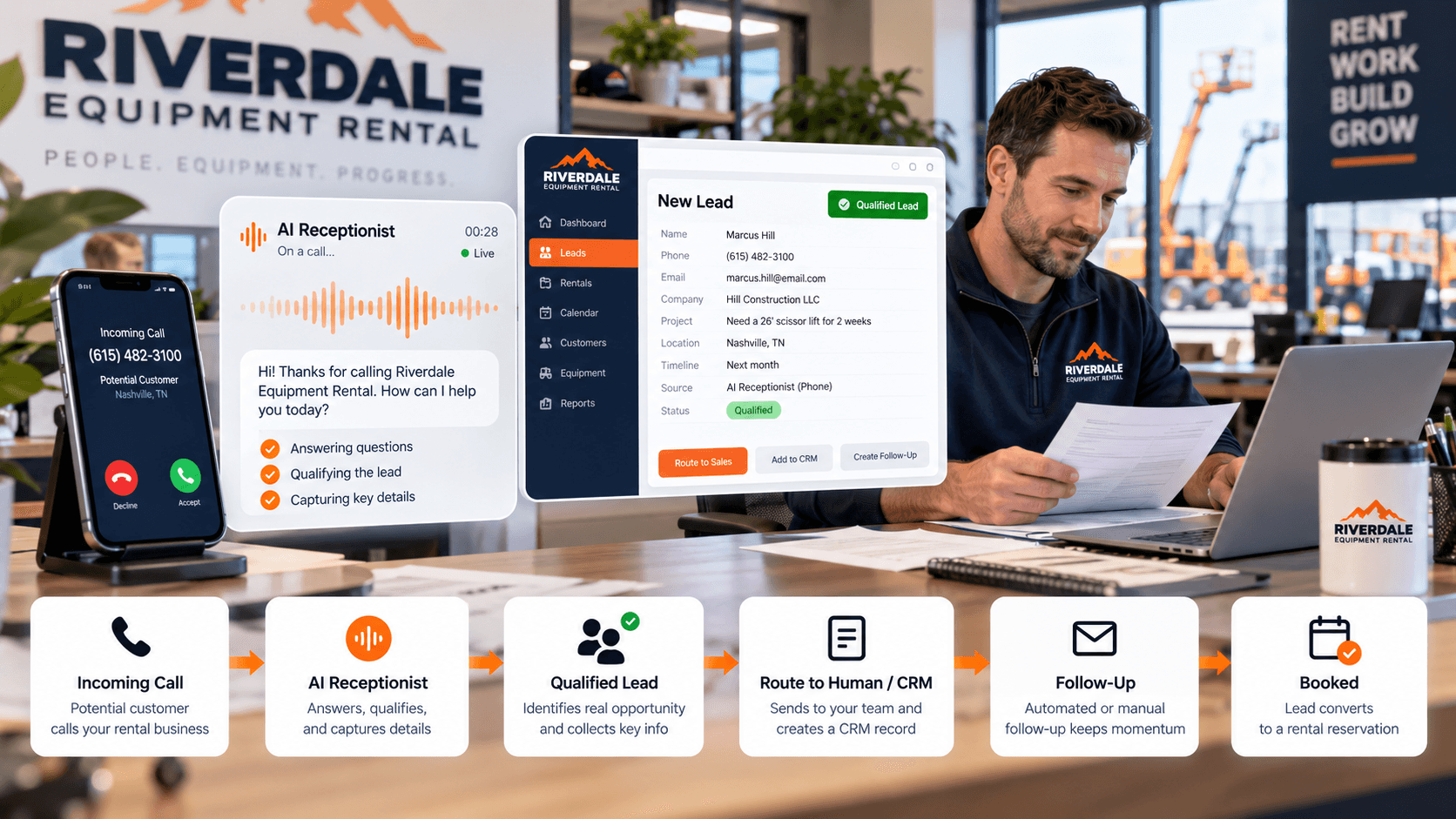
An AI receptionist is software that answers inbound calls, holds a natural voice conversation with the caller, and handles defined front-line tasks — collecting contact information, asking qualifying questions, answering approved FAQs, routing the call, scheduling a callback, and creating or updating a CRM record — without a person picking up first.
It's a different thing from a few tools it sometimes gets lumped in with:
- Voicemail just records a message — it doesn't ask anything or do anything with the answer.
- A phone menu (IVR) routes a caller to a department; it doesn't hold a conversation.
- A basic answering service takes a message for a human to act on later, rather than qualifying the lead itself.
- A website chatbot only reaches visitors already on the site — it can't catch a phone call.
Voicemail is technically a system. It's just not a particularly ambitious one.
Why AI Receptionists Are Relevant to Rental Businesses
Rental businesses have a specific calling pattern that makes this especially relevant: staff are driving, loading, delivering, servicing equipment, or quoting a job exactly when the phone rings, and after-hours inquiries are often just as high-intent as daytime ones.
- A dumpster customer calling about a 20-yard container for a weekend cleanout
- A contractor needing portable toilets for a job that starts Monday
- An event planner checking restroom trailer availability for a wedding six weeks out
- A contractor asking about a skid steer for a project that just got approved
- An event customer wanting to know what's available for a date already circled on the calendar
Most of these calls involve a predictable set of questions — what, where, when, how much, how long — which is exactly the kind of structured, repeatable conversation an AI receptionist is suited for, across every category we work with. See our industry pages for how that plays out by vertical.
What Can an AI Receptionist Actually Handle?
Depending on how it's configured and integrated, an AI receptionist can typically:
- Answer every incoming call, including after hours
- Capture name and contact information
- Identify the rental category — dumpster, portable toilet, restroom trailer, event equipment, construction equipment
- Determine the service location
- Ask for dates or timeline
- Ask for quantity or size requirements
- Answer approved, pre-defined FAQs
- Flag urgency
- Create a lead in the CRM
- Send an immediate text confirmation
- Notify staff of a new inquiry
- Route qualified leads to the right person
- Schedule a callback
What it actually does depends entirely on configuration — an AI receptionist set up with a narrow scope will do less than this list, and that's often the right call for a first implementation.
What Should an AI Receptionist NOT Handle on Its Own?
A good AI receptionist should know when to stop being the receptionist.
- Unusual pricing situations that don't fit a standard rate
- Custom quotes involving multiple variables
- Disputes or complaints
- Safety issues
- Emergency situations
- Complicated delivery or site-access logistics
- Contract negotiations
- Important commercial accounts with an existing relationship
- Any call where the AI doesn't understand what the customer needs
Each of these should trigger a clear escalation to a human — a transfer, a flagged callback, or both — rather than the AI attempting to handle it anyway.
AI Receptionist Example: A Dumpster Rental Inquiry
"I need a dumpster for a roof replacement next week." A well-configured AI receptionist could collect:
- Name and phone number or email
- Job address
- Project type (roofing)
- Preferred dumpster size, if the caller already knows
- Delivery date
- Material type, since that can affect what size is actually needed
From there, it creates the lead in the CRM, sends the customer a confirmation text, notifies the salesperson or dispatcher responsible for that area, and triggers whatever follow-up sequence applies to a new quote request — without a price ever being quoted by the AI itself.
AI Receptionist Example: Portable Toilet or Restroom Trailer Inquiry
The same pattern applies to portable sanitation, with different qualifying questions depending on whether the caller is planning a job site or an event.
- Job or event date
- Location
- Expected number of workers or guests
- Rental duration
- Type of units requested — standard units, ADA-compliant, or a restroom trailer
A construction caller and a wedding caller are asking for the same basic product in very different contexts, and the qualifying questions should reflect that rather than treating every call the same way.
AI Receptionist vs. Traditional Answering Service
Both solve a version of the same problem — someone, or something, answering the phone when staff can't — but they differ in a few practical ways.
- Availability: both can cover after-hours, though AI typically scales to many simultaneous calls where a service is limited by staffing
- Consistency: an AI receptionist asks the same qualifying questions every time; a human service's consistency depends on training and turnover
- Judgment: a trained human can read tone, handle an unusual request, or de-escalate a frustrated caller in ways AI still struggles with
- Integrations: AI tools are often built to connect directly to a CRM, where an answering service typically relays a message instead
- Cost structure: the two are usually priced differently — per-call, per-minute, or flat-rate — and which is more affordable depends on call volume and the specific vendors being compared
Neither is categorically better. A well-run human answering service may still be the right fit for a rental company whose calls skew toward complex or relationship-driven conversations rather than predictable intake.
AI Receptionist vs. Hiring Another Employee
This is less of a replacement decision than it sounds.
AI tends to be well-suited to repetitive front-line coverage — the calls that follow a predictable pattern. Employees remain better at nuance, judgment, relationship-building, sales conversations, and the exceptions that don't fit a script. For most rental companies, AI extends what existing staff can cover rather than replacing the need for them — picking up the calls that would otherwise go to voicemail or pull someone off a delivery, not taking over the job of running the business.
The Biggest Benefits for Rental Companies
Fewer missed inquiries
Every call gets answered, including the ones that would otherwise go straight to voicemail.
Better after-hours coverage
AI can answer the phone at 9:47pm without complaining about the schedule.
Faster initial response
A caller gets an answer and a next step immediately, instead of waiting for a callback that may or may not happen that day — the same response-time thinking behind our guide on speed-to-lead for rental companies.
Consistent lead qualification
The same questions get asked every time, regardless of who — or what — picks up.
Cleaner CRM data
Information comes in structured and complete instead of scribbled on a sticky note and entered later, if it gets entered at all.
Less repetitive work for staff
Fewer identical "how much is a 20-yard dumpster" calls landing on whoever happens to pick up the phone.
Better routing and follow-up
Qualified leads reach the right person automatically instead of waiting for someone to notice a voicemail.
The Risks and Downsides
None of this works automatically. A poorly configured AI receptionist can do real damage to the first impression a customer gets.
- Conversations that sound robotic or scripted if the setup is weak
- Incorrect information given confidently, if the system isn't scoped carefully
- Frustration from callers with an unusual request the AI isn't built to handle
- Integration failures that leave leads stuck instead of reaching the CRM
- Customers who simply prefer, or expect, a human — especially for larger or higher-trust purchases
- Privacy and data-handling considerations, since the system captures personal information on every call
- Over-automation — removing people from conversations that genuinely needed one
Implementation quality matters more than the technology itself. The same tool, set up carelessly versus set up deliberately, produces very different results.
The AI Receptionist Should Connect to Your CRM
Answering the call is only step one. An AI receptionist that captures a great lead and then leaves it sitting in its own separate system has just created another silo — the same problem a disconnected voicemail box or a sticky note creates, with better production values.
A useful version of the workflow looks like this:
- Incoming call
- AI receptionist
- Qualified lead
- CRM
- Staff notification
- SMS/email follow-up
- Quote
- Booking
This is the same thinking behind our guide on what CRM a rental company should use — the tool that answers the call matters less than whether the information it captures actually reaches the system responsible for following up.
Should AI Handle Pricing?
It depends on how standardized the pricing is. AI can generally communicate safely:
- Clearly published, fixed pricing
- Standard fees that don't vary by situation
- Approved price ranges, where a range genuinely applies
More complicated quotes — ones affected by delivery distance, material or waste type, weight, rental duration, site access, equipment availability, or specific event requirements — usually need a person who can weigh those variables, rather than a rule the AI is asked to apply blindly. There's no single right answer for every rental company here; it depends on how standardized that company's own pricing already is.
Which Rental Companies Benefit Most From an AI Receptionist?
It tends to be a stronger fit for companies that:
- Receive meaningful inbound call volume
- Regularly miss calls during business hours
- Get after-hours inquiries
- Answer the same handful of questions repeatedly
- Have defined qualification criteria for a lead
- Already use a CRM or lead-management system
- Need better call routing across a small administrative team
It tends to matter less when call volume is very low, when nearly every inquiry requires expert consultation, or when the current human answering process is already working well — in those cases, the problem this tool solves may not be the problem the business actually has.
How to Evaluate an AI Receptionist Before You Use One
A practical checklist before committing to one:
- Does it sound natural enough for my customers?
- Can I control exactly what information it gives out?
- Can it transfer to a human when needed?
- Can it capture the specific fields my team actually needs?
- Does it integrate with my CRM?
- Can it send notifications and trigger follow-up?
- Can calls be reviewed afterward?
- Can scripts and workflows be updated without a major rebuild?
- What happens when the AI doesn't understand the caller?
- Is after-hours behavior clearly defined?
How AI Receptionists Fit Into a Larger Rental Growth System
An AI receptionist is one piece of a larger system, not a replacement for the rest of it. Customer acquisition gets the inquiry in the first place. Digital infrastructure — the AI receptionist, the CRM, the routing, the follow-up — captures, qualifies, and moves it forward. Customer value systems continue the relationship after the rental wraps, through reviews, referrals, and reactivation.
AI should support that system, not become the system itself. The goal isn't replacing everyone with robots — it's making sure a good inquiry doesn't disappear just because everyone was already helping somebody else.
The Bottom Line
An AI receptionist can be a valuable tool for a rental company if missed calls, after-hours inquiries, and inconsistent lead capture are real problems — not hypothetical ones. The strongest implementations use AI for predictable front-line work while giving customers an easy path to a human when judgment or expertise is actually required.
The goal isn't replacing people. It's making sure every legitimate rental inquiry gets handled, whether it comes in at 2pm on a Tuesday or 9:47pm on a Friday.
Frequently Asked Questions
Can an AI receptionist answer calls for a rental company?
Yes. It can answer inbound calls, hold a basic qualifying conversation, and capture the details a rental company needs — name, location, project type, dates, and size or quantity — though what it actually handles depends on how it's configured.
Can an AI receptionist qualify rental leads?
Yes, within a defined set of questions. It can determine rental category, timeline, location, and basic requirements, then flag the lead's urgency and route it accordingly. More nuanced qualification — unusual requests, complex logistics — typically still benefits from a person.
Should an AI receptionist give customers pricing?
It depends on how standardized the pricing is. Clearly published rates and standard fees are usually safe for AI to communicate. Quotes affected by several variables — distance, materials, duration, site access — are generally better handled by a person.
Can an AI receptionist replace a human receptionist?
It can handle a meaningful share of front-line calls, but it isn't a full replacement. Complex pricing, complaints, emergencies, and relationship-driven conversations still tend to need human judgment, so most rental companies use AI to extend coverage rather than eliminate staff.
Can an AI receptionist connect to a CRM?
Good implementations do. The AI receptionist should create or update a CRM record for every qualified call, notify staff, and trigger follow-up — an AI phone tool that doesn't connect to the rest of the business just becomes another disconnected system.
Is an AI receptionist worth it for a small rental company?
It can be, especially if a small team is already missing calls or juggling the phone alongside deliveries and fieldwork. It tends to matter less for companies with very low call volume or where nearly every inquiry already requires an expert conversation.
Related Resources
Digital Infrastructure
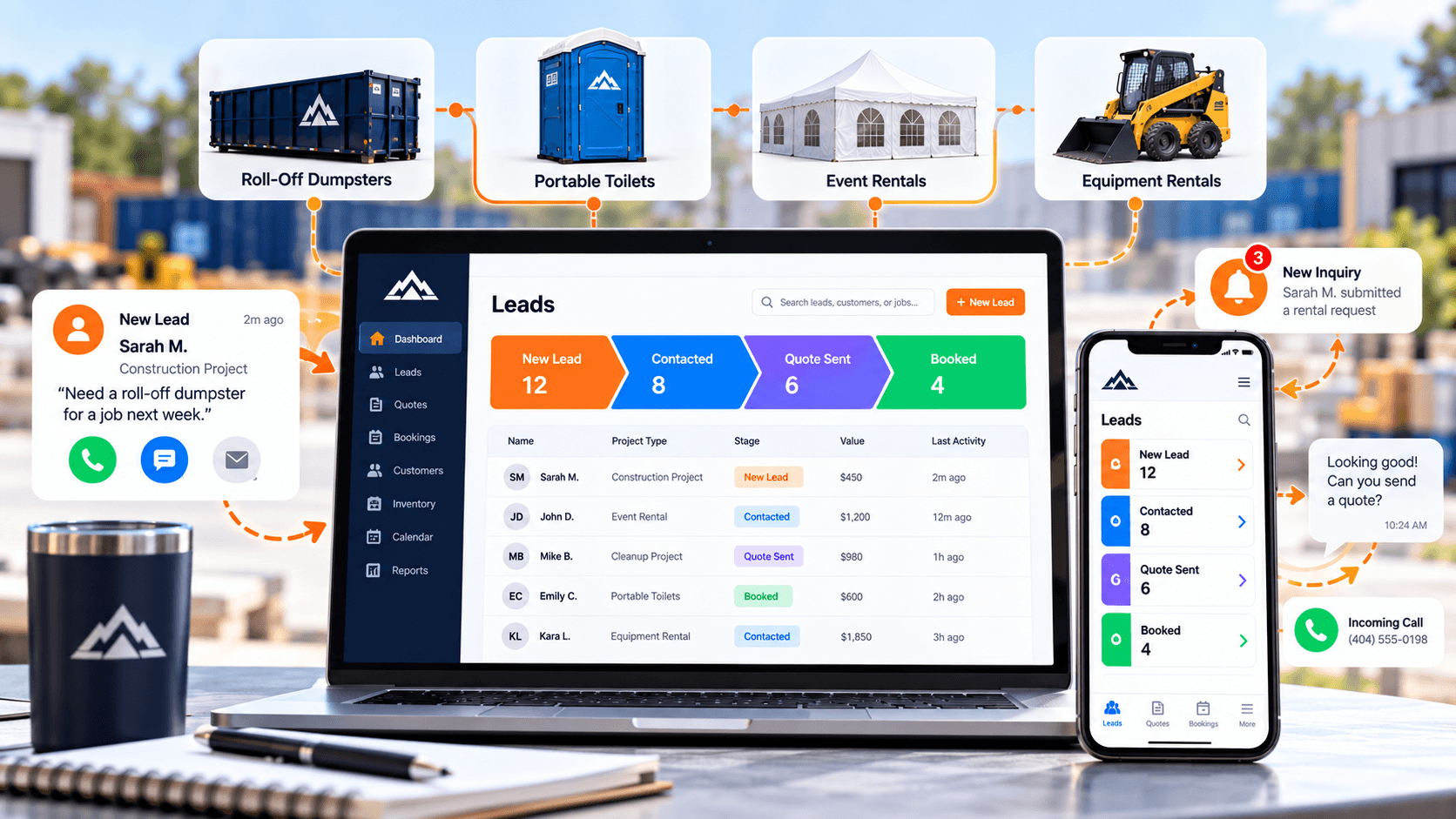
What CRM Should a Rental Company Use? A Practical Guide to Leads, Quotes, Follow-Up, and Repeat Business
What a CRM actually needs to do for a rental company — lead capture, pipeline visibility, follow-up automation, and reactivation — not which brand to buy.
Digital Infrastructure
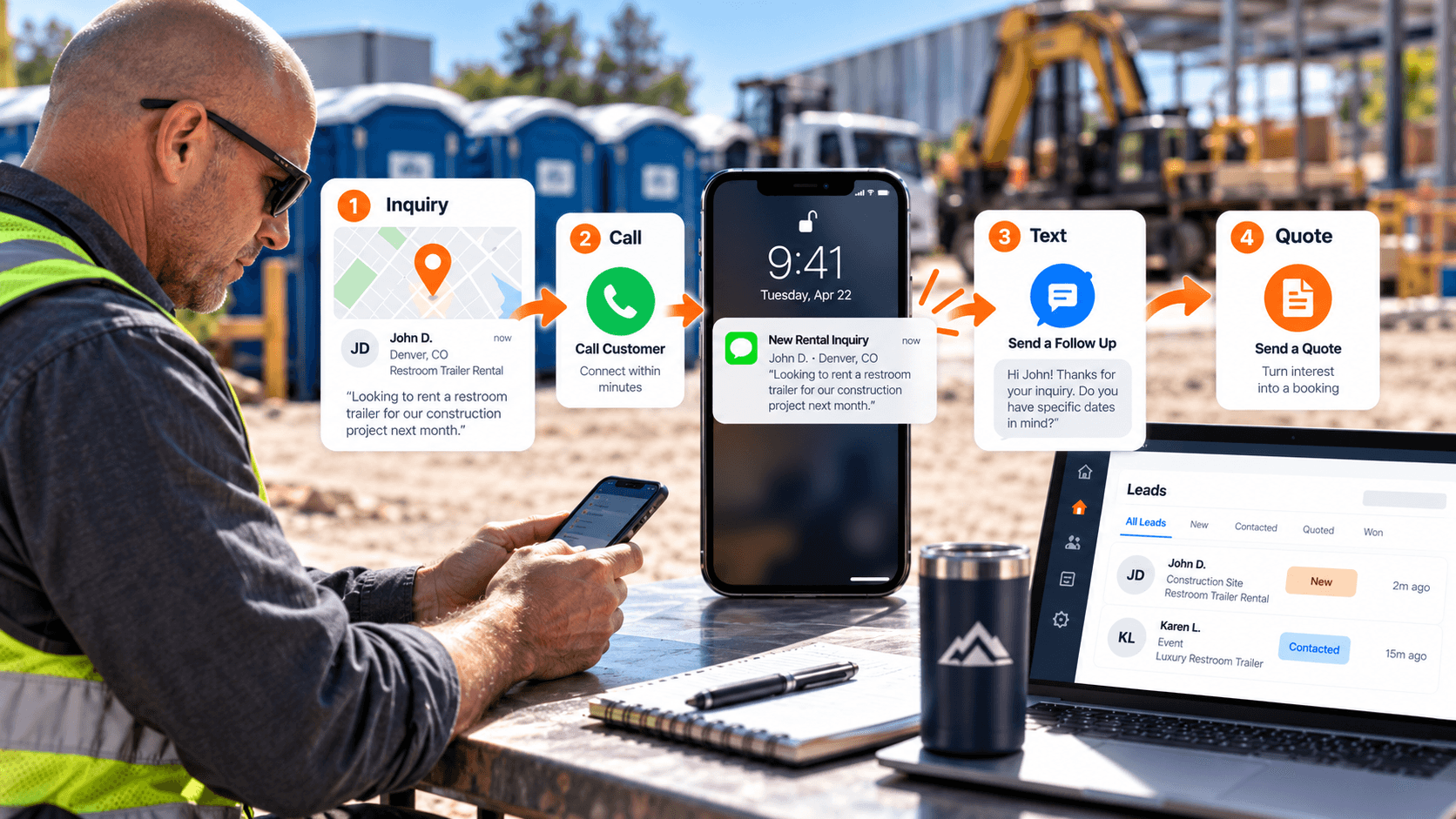
How Rental Companies Can Improve Speed-to-Lead
In commoditized rental categories, the company that responds first often wins the job. Here's how to shorten your response time.