Digital Infrastructure
The Rental Business Tech Stack: CRM, Automation, AI, Tracking, and Growth Tools
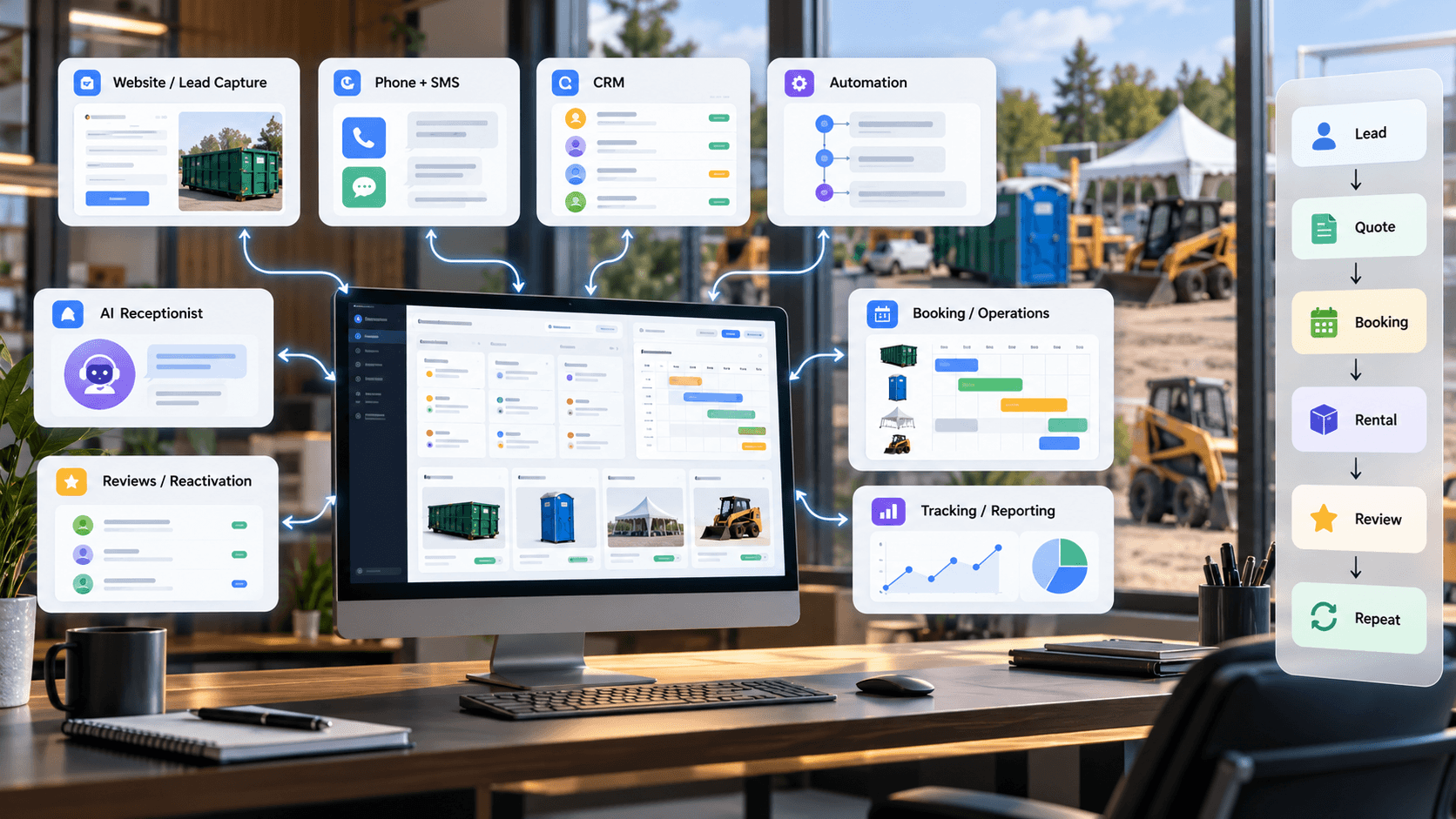
A rental company generally needs some combination of a lead-capturing website, phone and SMS, a CRM, automation, rental management or booking software, marketing-source tracking, a review system, customer-reactivation tools, and basic reporting. Not every business needs every piece on day one — the right order depends on where leads are currently getting lost.
Most tech stacks don't start as a strategy. They accumulate — a booking tool here, a spreadsheet there, a CRM nobody fully adopted — until the real question isn't "what software do we need" but "why do five systems all know a different version of the same customer." This guide organizes the pieces around the actual customer and operating journey, not a list of categories to shop for.
What Is a Rental Business Tech Stack?
A tech stack is the collection of software and systems a rental company uses to generate demand, capture leads, communicate, sell, schedule and fulfill rentals, track customers, measure marketing, and create repeat business.
The number of tools matters less than how well they work together. A business with three connected systems that all point to the same customer record is in better shape than one with eight disconnected tools that each hold a different piece of the picture.
The 8 Core Layers of a Modern Rental Business Tech Stack
Every rental tech stack, regardless of size, is built from some combination of these layers:
- Website and Lead Capture — gets the business found and turns a visitor into an inquiry
- Phone, SMS, and Communication — handles the calls and texts most rental sales still run through
- CRM and Sales Pipeline — tracks every lead, quote, and customer relationship in one place
- Automation — handles repetitive handoffs so nothing depends on memory
- Rental Management, Booking, and Operations — runs inventory, scheduling, dispatch, and fulfillment
- Marketing Tracking and Attribution — shows which sources actually produce customers
- AI Tools — extends coverage for intake, qualification, and routine responses
- Customer Value Systems — turns a completed rental into a review, a referral, and a repeat booking
Reporting sits across all of it rather than as its own separate category — it's only useful once the layers below it are actually producing clean data.
1. Website and Lead Capture
The website's job is to communicate what's offered, explain the service area, establish enough trust to justify a call, and make the next step obvious — a quote form or a phone number, not a maze.
- A quote form that asks for little enough that people actually finish it
- Click-to-call visible on every page, not just a footer
- A mobile-friendly layout, since a large share of rental searches happen on a phone
- Clear service and category pages for what's actually offered
- City and service-area pages for the markets genuinely served
- Forms that are tracked correctly, so every submission lands somewhere and nothing goes to a dead inbox
This is the first piece of Customer Acquisition: visibility and trust that actually convert, not just traffic.
2. Phone, SMS, and Communication
A large share of rental sales still happens by phone or text, which makes this layer easy to underinvest in simply because it feels familiar rather than technical.
- Call tracking tied to lead source, where practical
- A missed-call process, so a call that goes unanswered isn't just gone
- SMS follow-up for quotes and reminders
- Shared visibility into conversations where more than one person handles leads
- Communication tied to the customer record, not stranded in one employee's phone
A conversation that lives only in one person's personal phone disappears the moment that person is out on a delivery, on vacation, or simply busy — which is most of the workday for a lot of rental operators.
3. CRM and Sales Pipeline
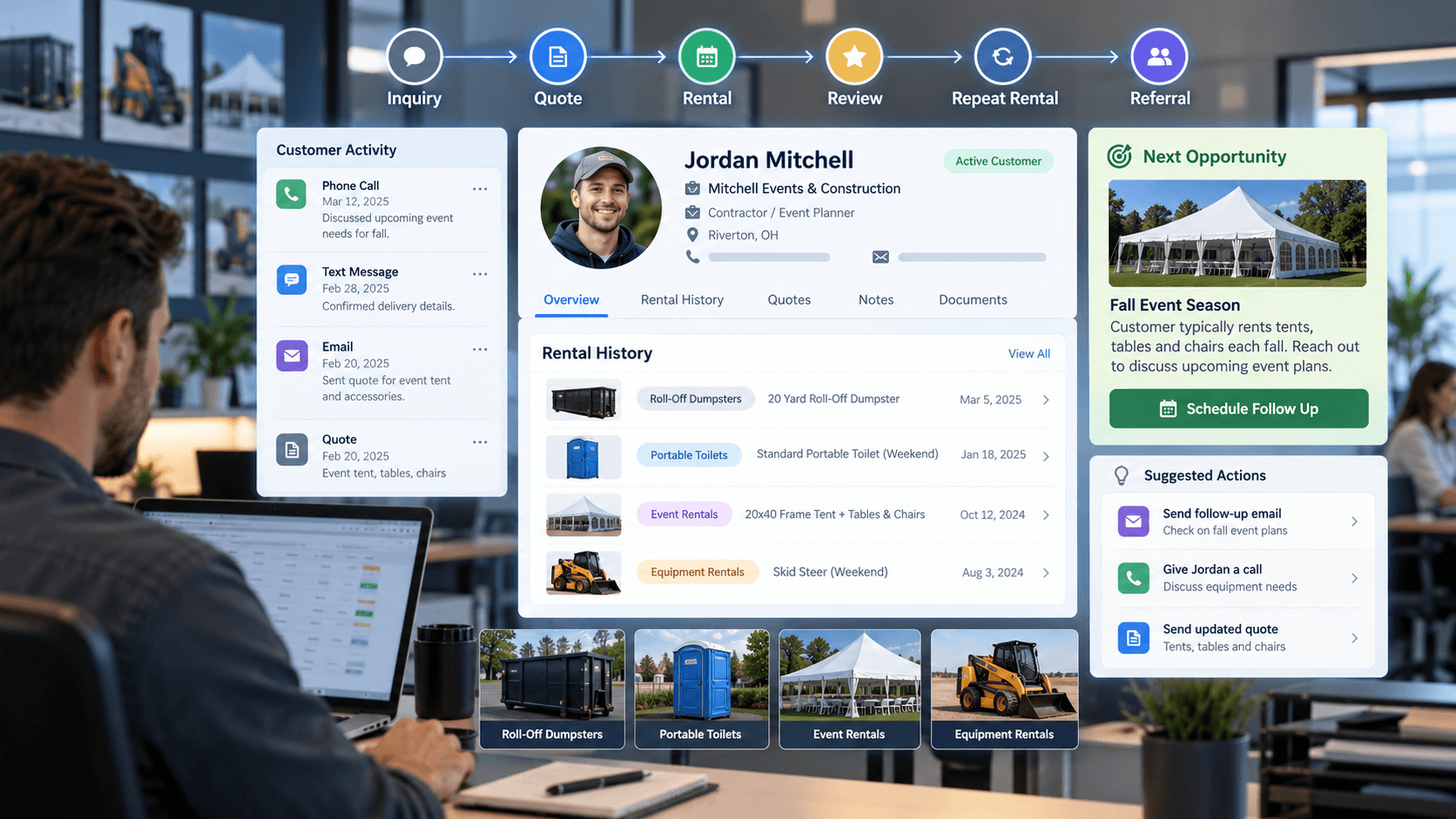
A CRM manages the relationship side of the business: new leads, source, pipeline stage, quotes, follow-up, notes, communication history, won and lost opportunities, customer history, review and referral status, and reactivation.
For more detail on choosing one, see our guide on what CRM a rental company should use and on tracking customer history. Response time inside this layer matters just as much as having it at all — see our guide on speed-to-lead.
A spreadsheet can survive a surprisingly long time as mission-critical infrastructure. It's not that it can't work — it's that it stops working quietly, the moment two people are editing it at once or a tab gets renamed.
4. Automation
The companies that get the most out of automation use it for repetitive handoffs, not judgment-heavy conversations. Good starting points:
- Instant lead acknowledgment
- Missed-call text-back
- Quote follow-up reminders
- Appointment reminders
- Completed-rental review requests
- Reactivation campaigns
- Internal task creation and lead assignment
- Staff notifications
Adding another software subscription to a broken process mostly gives you a more expensive broken process. Automation speeds up whatever process already exists — it's worth fixing the process first.
5. Rental Management, Booking, and Operations Software
This is the operational side: inventory, availability, scheduling, dispatch, delivery and pickup, contracts, equipment or unit tracking, recurring service, and operational notes.
It often overlaps with CRM features but usually solves a different problem — a dumpster company needs to know which bins are out and when they're due back, a portable toilet company needs a route and service schedule, an event rental company needs to know what's reserved for which date, and an equipment company needs to track which unit is where. None of that is a sales-pipeline question.
CRM vs. Rental Management Software: What's the Difference?
These solve different problems, and the distinction is worth being clear on before shopping for either one.
CRM
- Lead management
- Relationship history
- Communication
- Sales pipeline
- Follow-up
- Marketing
- Reactivation
Rental management software
- Inventory
- Scheduling
- Dispatch
- Contracts
- Unit or equipment status
- Fulfillment
- Operational workflow
Many rental companies eventually need both, sometimes connected to each other so a booking doesn't have to be typed into two places. Smaller operations often get by on one system stretched to cover part of the other job, at least for a while.
6. Marketing Tracking and Attribution
What's worth tracking: lead source, campaign, call source, form source, organic versus paid, directory leads, referrals, repeat customers, and the won/lost outcome where it's known.
The important part isn't a sophisticated attribution model — it's getting source data to actually land in the CRM, consistently, so it's possible to compare sources later. Simple and consistently applied beats detailed and abandoned after three weeks.
7. AI Tools for Rental Companies
Realistic use cases today include an AI receptionist for missed-call handling and intake, lead qualification, call summaries, chat, draft responses, internal knowledge lookup, reporting summaries, and content support.
For a closer look at one specific use case, see our guide on AI receptionists for rental companies. Humans should stay involved in complicated pricing, exceptions, upset customers, high-value deals, unusual logistics, and anything that genuinely requires judgment — AI extends coverage, it doesn't replace the team.
8. Customer Value Systems
This layer covers what happens after the first rental: review requests, referral requests, reactivation, repeat-rental reminders, seasonal follow-up, segmentation, customer history, and preferred-customer treatment where it makes sense.
See our guides on getting more Google reviews, tracking customer history, and growing without spending more on ads — this is the operational core of Customer Value Systems.
Reporting and Dashboards: What Should You Actually Watch?
Worth tracking in some form: leads, lead source, response time, contact rate, quotes sent, bookings and wins, lost opportunities, repeat customers, reviews, reactivation activity, and marketing spend against outcomes where that data is available.
A dashboard should answer operational questions — where are leads coming from, where are they stalling, who hasn't been followed up with — not just look impressive in a meeting nobody else attends.
How the Tools Should Connect
A clean system flow looks roughly like this: Google, ads, directories, or referrals bring a lead to the website or phone, which feeds the CRM, which triggers automation, which supports the quote or booking, which hands off to rental management for fulfillment, which closes with a completed rental, a review request, an update to customer history, and eventually reactivation or repeat business.
Data shouldn't need to be manually re-typed into every system along that path if it doesn't have to be. APIs, native integrations, and automation tools can move information between systems automatically — the specifics matter less than the principle: a customer's information should exist in one place that everything else reads from, not five places that occasionally agree.
What Should a Small Rental Company Start With?
A reasonable minimum viable stack:
- A professional, mobile-friendly website
- A trackable phone number
- A simple CRM
- Lead notifications that actually reach someone
- Basic SMS or email follow-up
- A clear quote and booking process
- A review request system
- Basic source tracking
That's enough to build a solid foundation — everything after this point is about adding capacity and precision, not fixing something fundamentally missing.
What Should a Growing Rental Company Add Next?
- Deeper automation across more of the customer journey
- CRM and rental management software integration
- An AI receptionist for missed-call and after-hours coverage
- Better marketing attribution
- Structured reactivation workflows
- More detailed reporting
- Multi-location or multi-territory lead routing
- More advanced customer segmentation
Signs Your Rental Tech Stack Is Too Complicated
- The same data gets entered into two or three different systems by hand
- Nobody is quite sure where a given customer's history actually lives
- Duplicate or conflicting automations fire for the same event
- Follow-ups still get missed despite having tools meant to catch them
- Customer records disagree with each other across systems
- Subscriptions are being paid for tools nobody actually opens anymore
- Reporting still requires manually assembling a spreadsheet from scratch
- One employee understands the whole setup and everyone else just works around it
If five systems all know a different version of the same customer, that's not really a tech stack. Those are witnesses.
Signs Your Rental Tech Stack Is Too Basic
- Leads live in text message threads, not a system
- There's no way to tell where a lead actually came from
- No shared customer record exists outside of memory
- Missed calls simply disappear
- Quotes go out with no structured follow-up
- There's no review request process
- Past customers are never systematically reactivated
- There's no visibility into which leads were won or lost, or why
How to Choose Software for a Rental Business
Before adding anything new, it's worth checking it against a short list of questions:
- Does it solve a real workflow problem, or just sound useful?
- Will the team actually use it day to day?
- Does it integrate with what's already in place?
- Can customer data move between systems without manual re-entry?
- Does it fit the actual rental categories and workflow in use?
- Does it improve visibility or genuinely reduce manual work?
- Can it scale as the business grows, or will it need replacing in a year?
What Rental Business Software Should Integrate With What?
- Website and forms should feed the CRM
- Phone and SMS should feed the CRM
- The CRM should trigger automation
- The CRM and rental management software should sync where practical
- A completed rental should trigger a review request
- Customer history should feed reactivation
- Ad, call, and form tracking should feed reporting
What Should a Rental Company Work on First?
- Map the current customer journey, start to finish
- Identify exactly where leads get lost or stall
- Pick one central customer record to build around
- Connect phone and forms to that record
- Standardize pipeline stages
- Automate basic follow-up
- Connect operational tools so fulfillment data flows back
- Add review and reactivation workflows
- Improve attribution
- Add AI where it solves a real, specific problem
- Build reporting around the decisions it needs to support
The Bottom Line
The goal isn't to build the most advanced tech stack available. It's to build a connected operating system that helps the company get found, respond faster, stay organized, fulfill rentals reliably, measure its marketing, and create more value from every customer it already has.
That's the same thinking behind how Rental Growth Systems approaches Customer Acquisition, Digital Infrastructure, and Customer Value as three connected systems rather than three separate problems — across any of the rental categories a company serves, the tools matter less than whether they actually work together.
Frequently Asked Questions
What software does a rental company need?
Most growing rental companies need some combination of a lead-capturing website, phone and SMS, a CRM, automation, rental management or booking software, marketing-source tracking, a review system, reactivation tools, and basic reporting. Not every company needs every piece immediately — it depends on where leads are currently getting lost.
What is the best tech stack for a rental business?
The best tech stack isn't the one with the most tools — it's the one where the important tools share information and support a clear operating process from lead to completed rental to repeat business. A smaller, connected stack usually outperforms a larger, disconnected one.
Does a rental company need a CRM?
Most rental companies benefit from one once leads and customers become too numerous to track reliably by memory or spreadsheet. A CRM centralizes lead source, quotes, communication history, and follow-up status so nothing depends on one person remembering it.
What is the difference between CRM and rental management software?
A CRM manages relationships, leads, and sales pipeline. Rental management software manages inventory, scheduling, dispatch, and fulfillment. Many companies eventually use both, sometimes connected, since they solve different parts of the business.
What should a rental company automate first?
Instant lead acknowledgment and missed-call text-back tend to have the most immediate impact, followed by quote follow-up and completed-rental review requests. These are repetitive handoffs, not judgment calls, which makes them good automation candidates.
How can AI be used in a rental business?
Common uses include AI receptionists for missed-call handling and intake, lead qualification, call summaries, draft responses, and reporting summaries. Humans should stay involved for complicated pricing, exceptions, upset customers, and anything requiring real judgment.
Do all rental-business tools need to integrate?
Not perfectly, but customer and lead data should flow between the core systems — website, phone, CRM, and rental management — without being manually re-entered everywhere. Where integration isn't practical, consistency between systems becomes even more important.
Related Resources
Digital Infrastructure
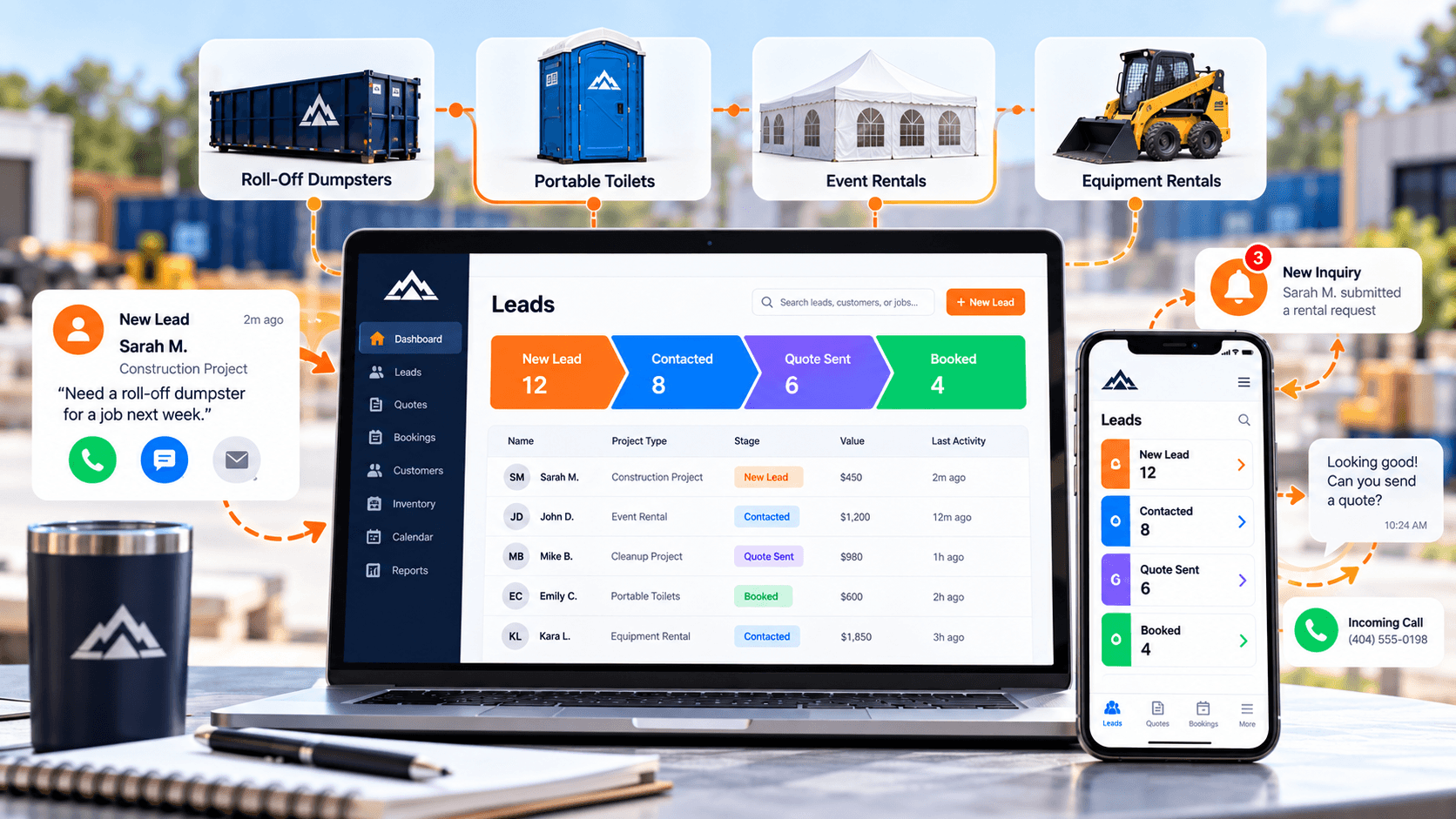
What CRM Should a Rental Company Use? A Practical Guide to Leads, Quotes, Follow-Up, and Repeat Business
What a CRM actually needs to do for a rental company — lead capture, pipeline visibility, follow-up automation, and reactivation — not which brand to buy.
Digital Infrastructure
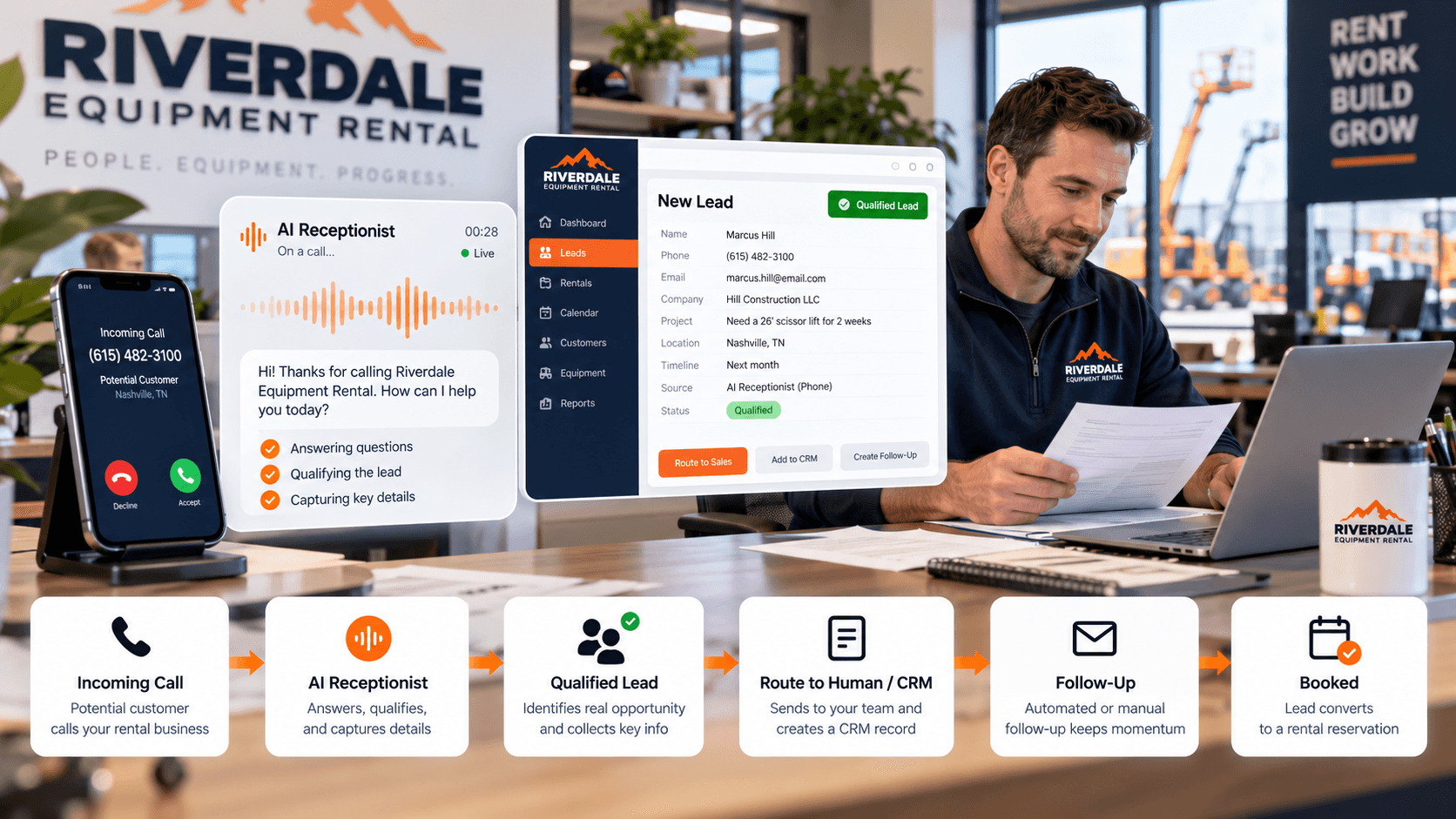
Should a Rental Company Use an AI Receptionist? Pros, Cons, and Best Use Cases
A balanced look at when an AI receptionist helps a rental company, what it should and shouldn't handle on its own, and how it should connect to your CRM.
Customer Value
How to Track Customer History in a Rental Business (and Actually Use It to Grow)
A practical way to track customer history — and the follow-up, reactivation, and repeat-business system that actually puts it to use.